
As we move through 2026, Belgian e-invoicing legislation requires B2B invoices to be sent through the Peppol network. With Equicty’s Peppol integration in Equstable, you can send legally compliant e-invoices directly from your account.
This guide will walk you through everything you need to know about sending Peppol invoices efficiently and correctly. You can refer here for the updated information.
Belgian legislation mandates that B2B invoices must be sent through the Peppol network. Traditional PDF or email invoices no longer meet legal requirements for domestic business transactions.
With Equicty’s Peppol integration, you can:
Once enabled, Peppol becomes a seamless part of your invoicing workflow.
To send invoices via Peppol, you must first enable Peppol in your Equicty Equstable account. You can send invoices from multiple tools if you wish, but receiving via Peppol can only be configured in one tool at a time.

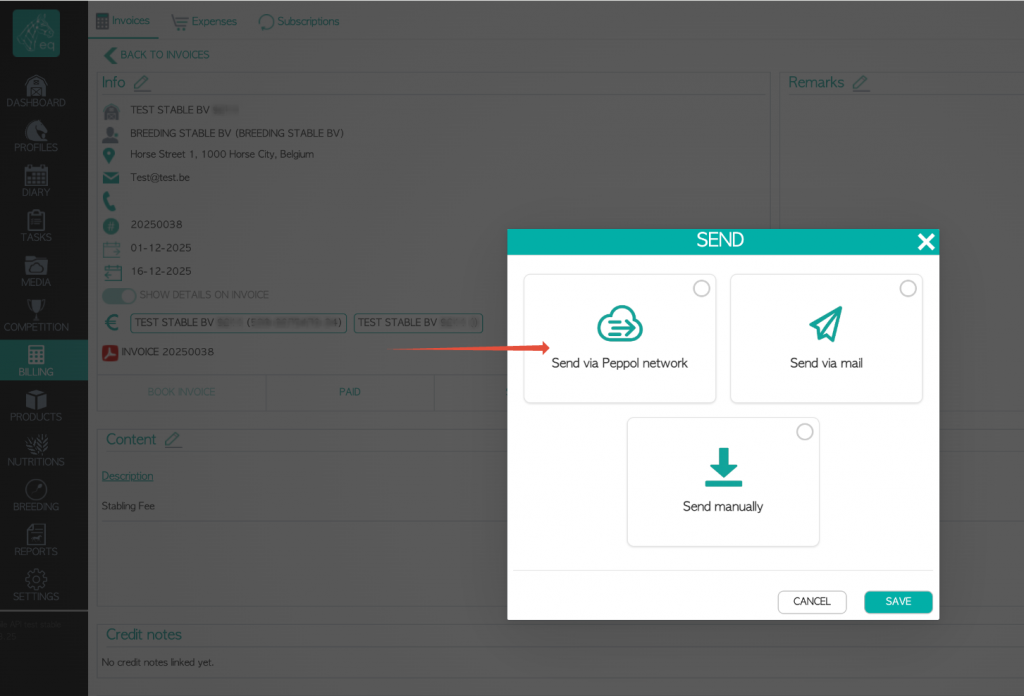
Sending a Peppol invoice in Equstable is straightforward:
Equicty automatically converts your invoice into the required UBL e-invoice format, validates it, and sends it securely through the Peppol network.
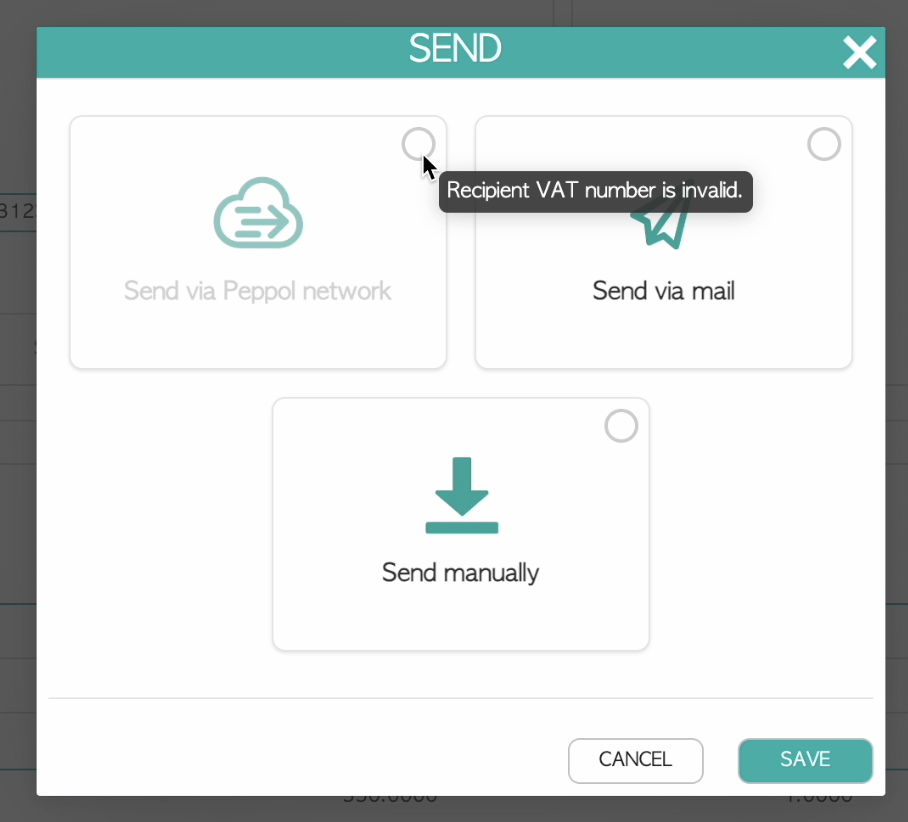
Requirements for Sending a Peppol Invoice
Before sending, ensure these conditions are met:
If your customer is not yet registered on Peppol, Equstable will automatically search the Peppol database and notify you. You can still send the invoice by email or post instead.
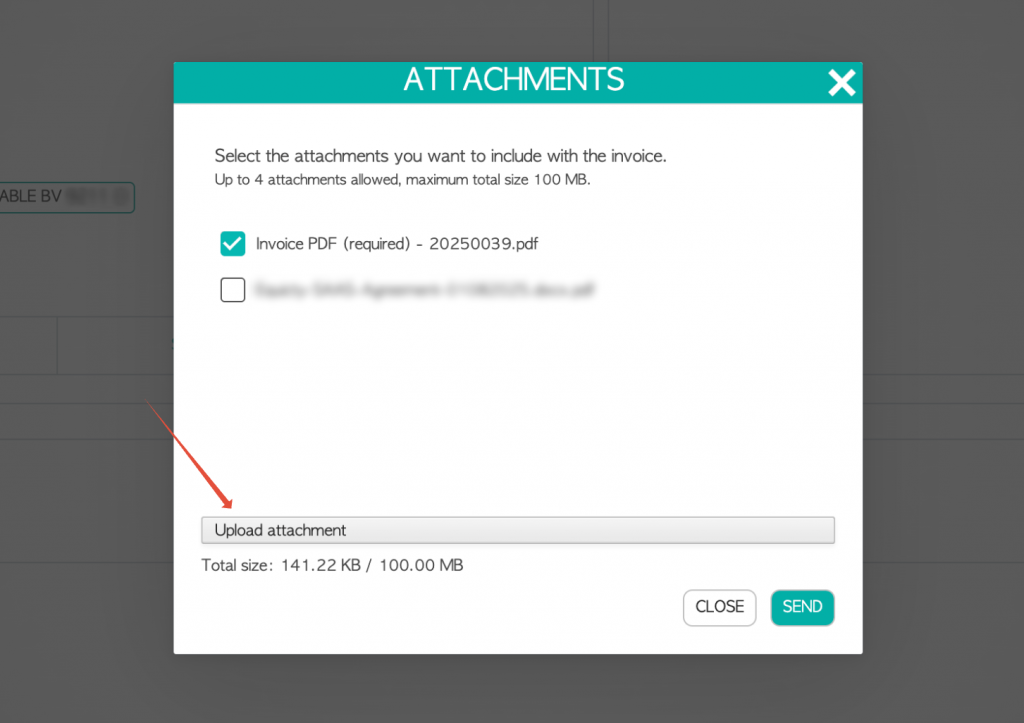
When sending an invoice via Peppol, the PDF version of the invoice is attached by default. You can add additional files via Add attachments.
Supported file types and limits:
All files are bundled into one UBL file that is sent through Peppol. After sending, you can download the UBL file.
To avoid issues, keep these key points in mind:
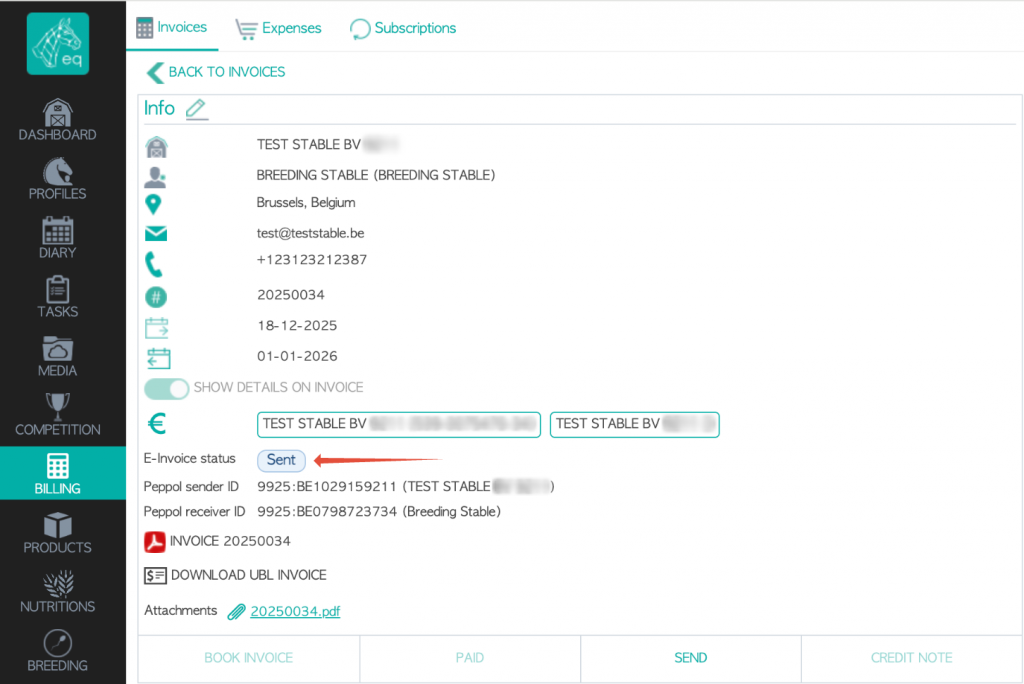
After sending, you can track the Peppol status of your invoice in Equstable. If you have also enabled Peppol for receiving e-invoices, you will receive status updates and responses from your customer.
Possible Peppol statuses:
These statuses are determined by your customer. Note: “Paid” does not mean that Peppol or Equstable has confirmed or verified the payment—it simply means the customer’s system marked the invoice as paid.
You can view the Peppol status via:

Sending an invoice via Peppol means the invoice is officially and digitally delivered to your customer via the Peppol network. However, Peppol does not automatically forward your invoices to your accounting software.
The Peppol network is designed for the secure and legally compliant exchange of e-invoices between sender and receiver, not for processing or recording invoices in your accounting system.
Would you like your accountant to receive invoices automatically?
In Equicty Equstable, you can configure a unique email address provided by your accountant or autoscan service. With each send action, a copy of the invoice will automatically be sent to this address, allowing your accountant to import the invoice directly into their system.
Belgian legislation requires B2B companies to issue invoices through Peppol. But what about other countries?
If your customer did not receive the invoice, check the following:
With Peppol e-invoicing now mandatory for Belgian B2B transactions, using it correctly is essential for staying compliant and efficient. Equicty’s integration makes the process straightforward, allowing you to:
Refer here for the updated guide (as we keep updating our guidelines) following this guide, you can make Peppol invoicing a seamless part of your day-to-day operations in Equstable.
Would you like to see how Equicty can streamline your entire operation, from horse planning to Peppol invoicing?
Sign up with Equicty today.